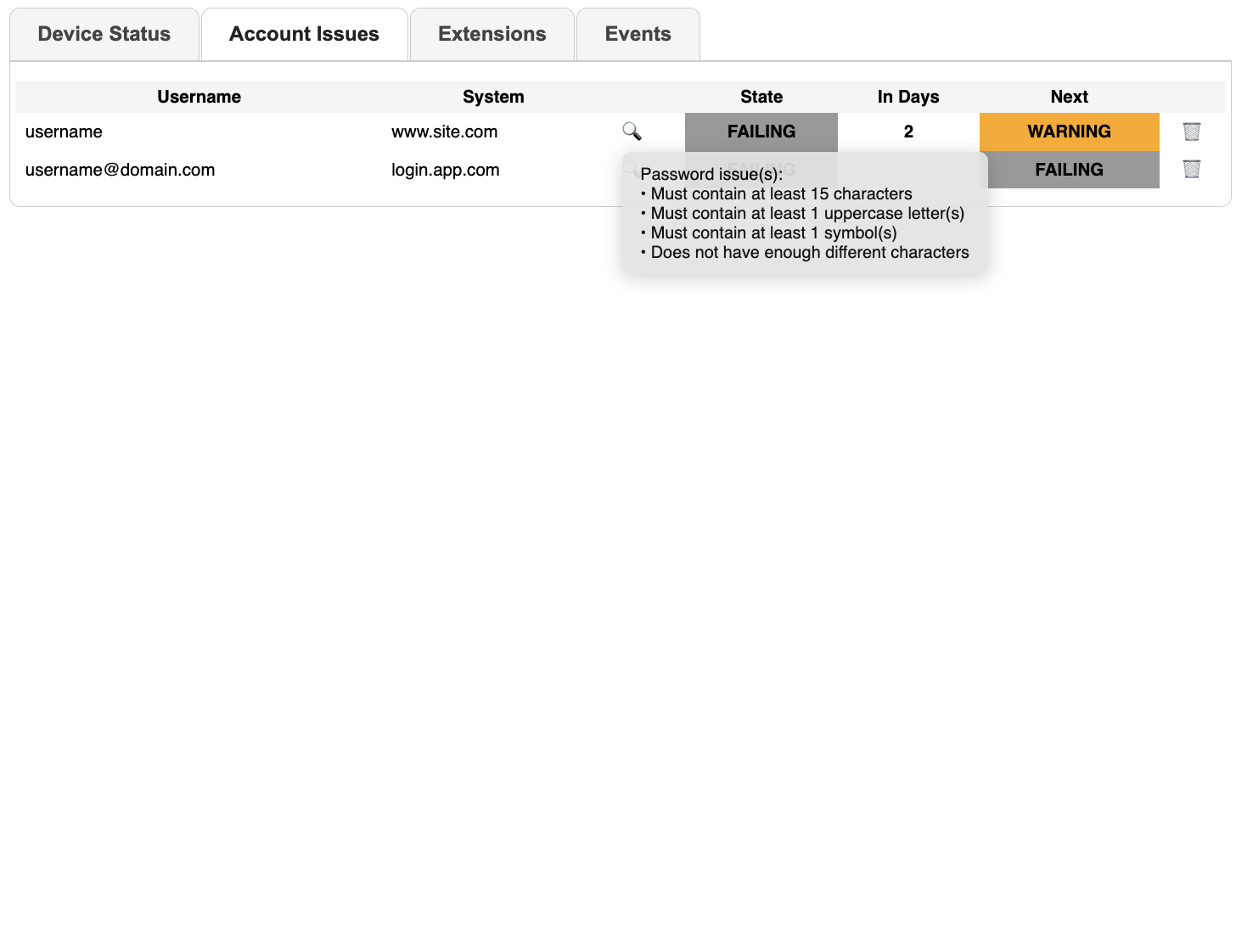
Account Dashboard
Your organisation has put in place policies and mechanisms to ensure the information security, such as:
- password complexity and length
- password re-use
- use of Multi-Factor Authentication
If these policies are not applied, this creates an information security risk. Citadel verifies that your accounts implement these policies and mechanisms, and can disable your access if this is not the case, in order to protect the information.
The Account Dashboard shows if your accounts have safe passwords:
FAILING: your account is safe, but safety could be improved: Citadel will periodically remind youWARNING: your account is unsafe, your access to sensitive IT systems unless you actBLOCKING: your access your organisation’s IT systems has been cut, for safety reasons
The “worst” state defines the global state. For detailed information about why Citadel considers an account unsafe, click on the 🔍 icon.
If an account no longer exists, or if Citadel is incorrectly raising it as unsafe, you can remove it using the 🗑 icon. This will also log you out of the system in question.